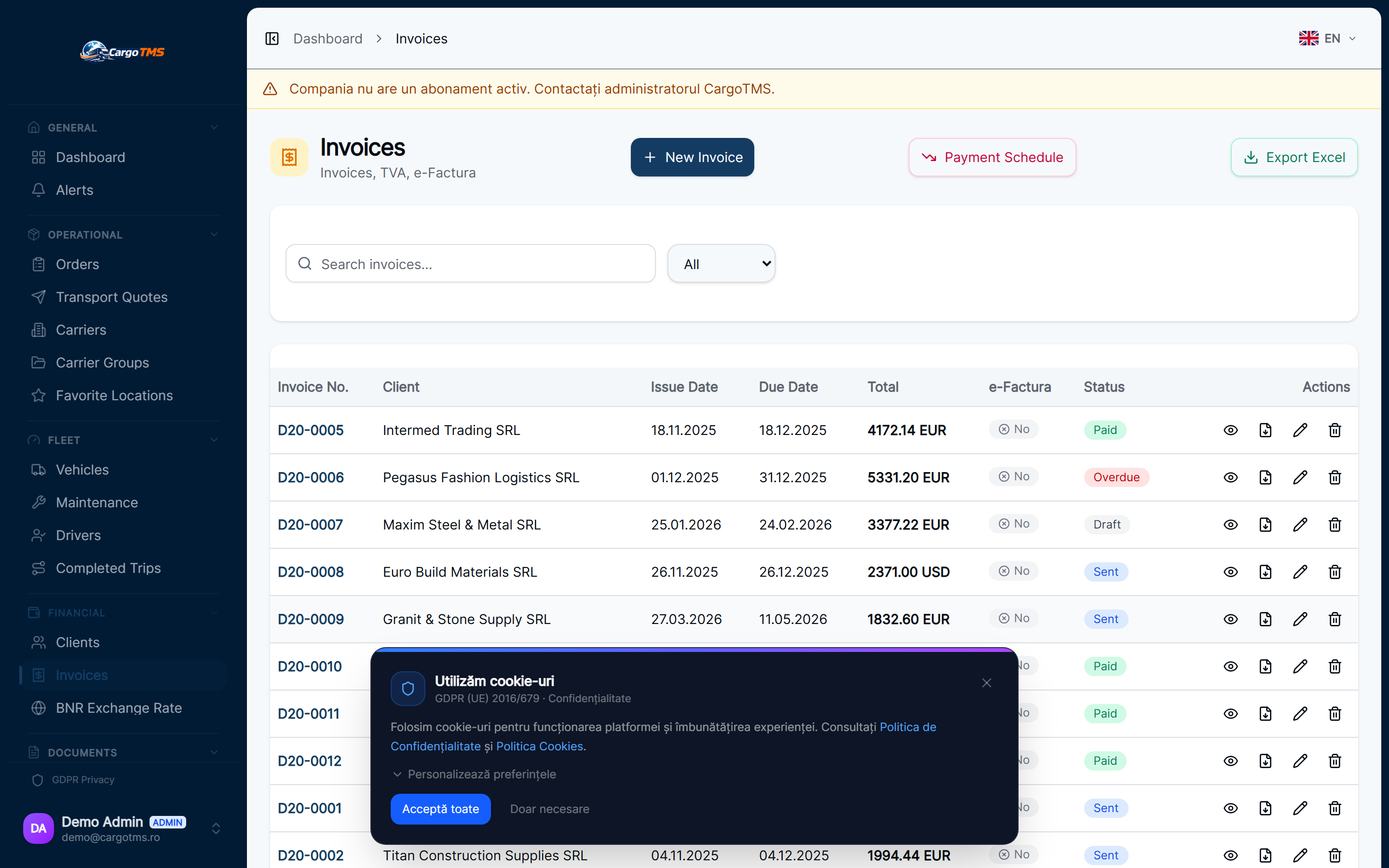
Invoice visibility in CargoTMS bridges the gap between operations and finance. When a trip is completed, its invoicing status is immediately trackable — not as a separate accounting record, but as part of the operational data already in the system.
Trip Completes — Invoicing Status Becomes Active
When a driver confirms delivery and the order is marked as completed, the order becomes eligible for invoicing. The invoice status is visible in the order view: "Not Invoiced", "Invoiced", or "Paid" — with the date each status was set.
Generate Invoice in CargoTMS
Invoices can be created directly from the completed order in CargoTMS, using the configured invoice templates. The freight details, references, and amounts are pulled from the order data — no manual re-entry required. The invoice can be downloaded as PDF for sending.
Sync with Oblio or SmartBill
If Oblio or SmartBill integration is configured, invoices can be pushed to the connected accounting system directly from CargoTMS. This eliminates the need to re-enter invoice data in a separate system and keeps CargoTMS and the accounting tool in sync.
Track Payment Status
Once an invoice is issued, its payment status is tracked in CargoTMS. When payment is confirmed, the invoice is marked as paid. The invoice dashboard shows all open invoices, overdue invoices, and recently paid invoices — giving a clear view of outstanding receivables.
Client Portal Invoice Access
Clients with portal access can view and download their invoices and associated CMR documents directly from the CargoTMS client portal. This removes the need to email invoices to clients and provides a self-service access point that reduces document request calls.
📝 Good to know
- Invoice visibility requires the invoicing module to be active on your plan.
- Oblio and SmartBill integration requires API credentials to be configured in your company settings.
- Client portal access is controlled per client — you decide which clients have portal access.
help.faq_title
Does every completed trip need to be manually invoiced?
Currently, invoice creation is a manual step triggered by the dispatcher or accounts team. The completion state of the order triggers the "ready to invoice" status, and the invoice is then created from the order.
Can I invoice multiple trips in a single invoice?
Yes. CargoTMS supports grouping multiple completed orders into a single invoice. This is common for clients where invoicing is done monthly or per batch.
How do I mark an invoice as paid?
Payment status is updated manually when payment is confirmed, or can be synced from the integrated accounting tool if that integration is configured.
See this workflow in action
Request a free personalised demo and we'll walk you through this exact workflow in your context.
🚀 Request Free Demo