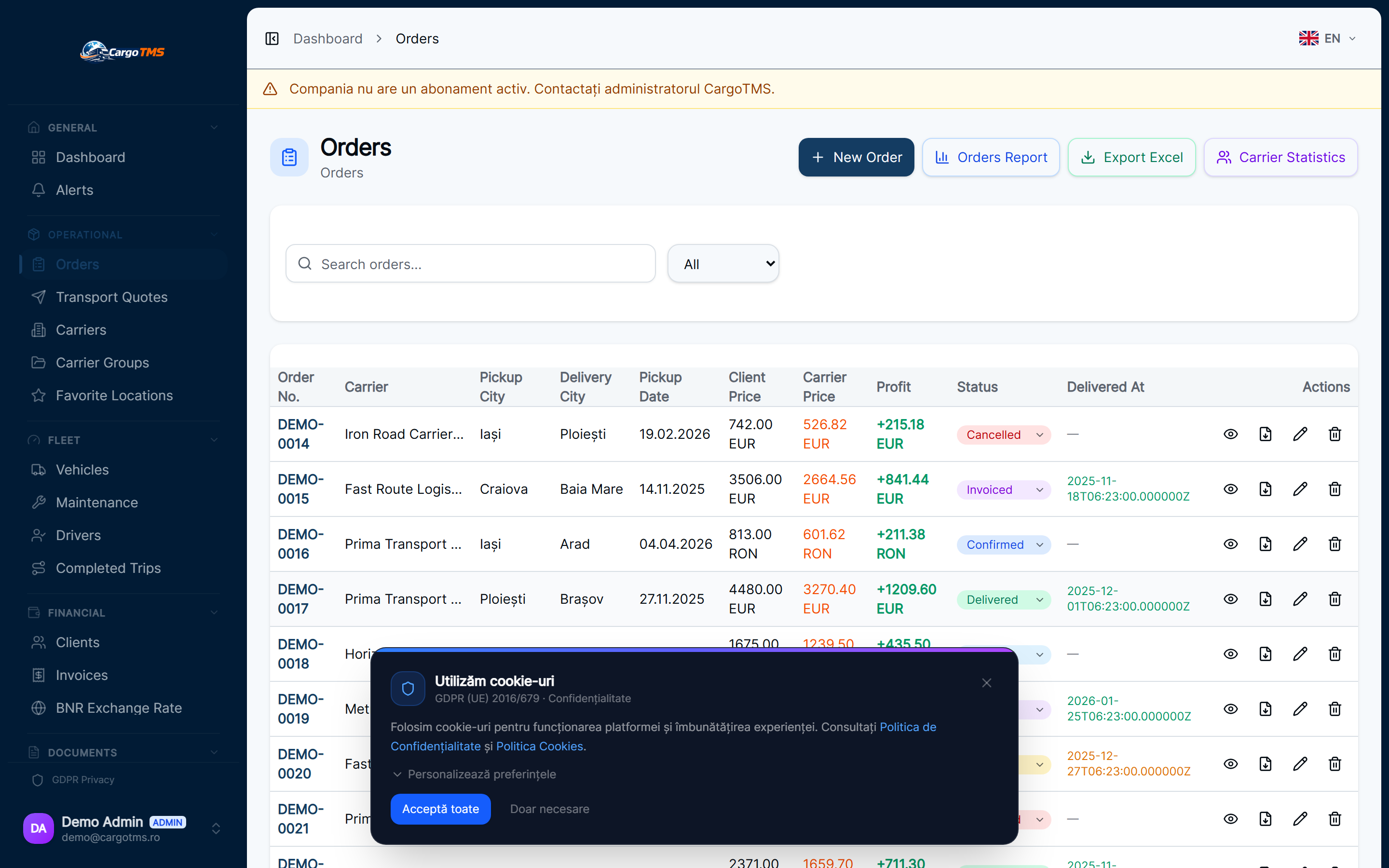
Most transport companies started with Excel. It's fast to set up, everyone knows how to use it, and it costs nothing. For a handful of vehicles and a few clients, it works reasonably well. But transport operations don't stay small, and the problems that Excel creates at scale — version conflicts, no real-time visibility, manual notification processes, no document management — become the single biggest obstacle to growth. This article looks at exactly where Excel breaks down and what purpose-built TMS software does differently.
The Multi-User Problem
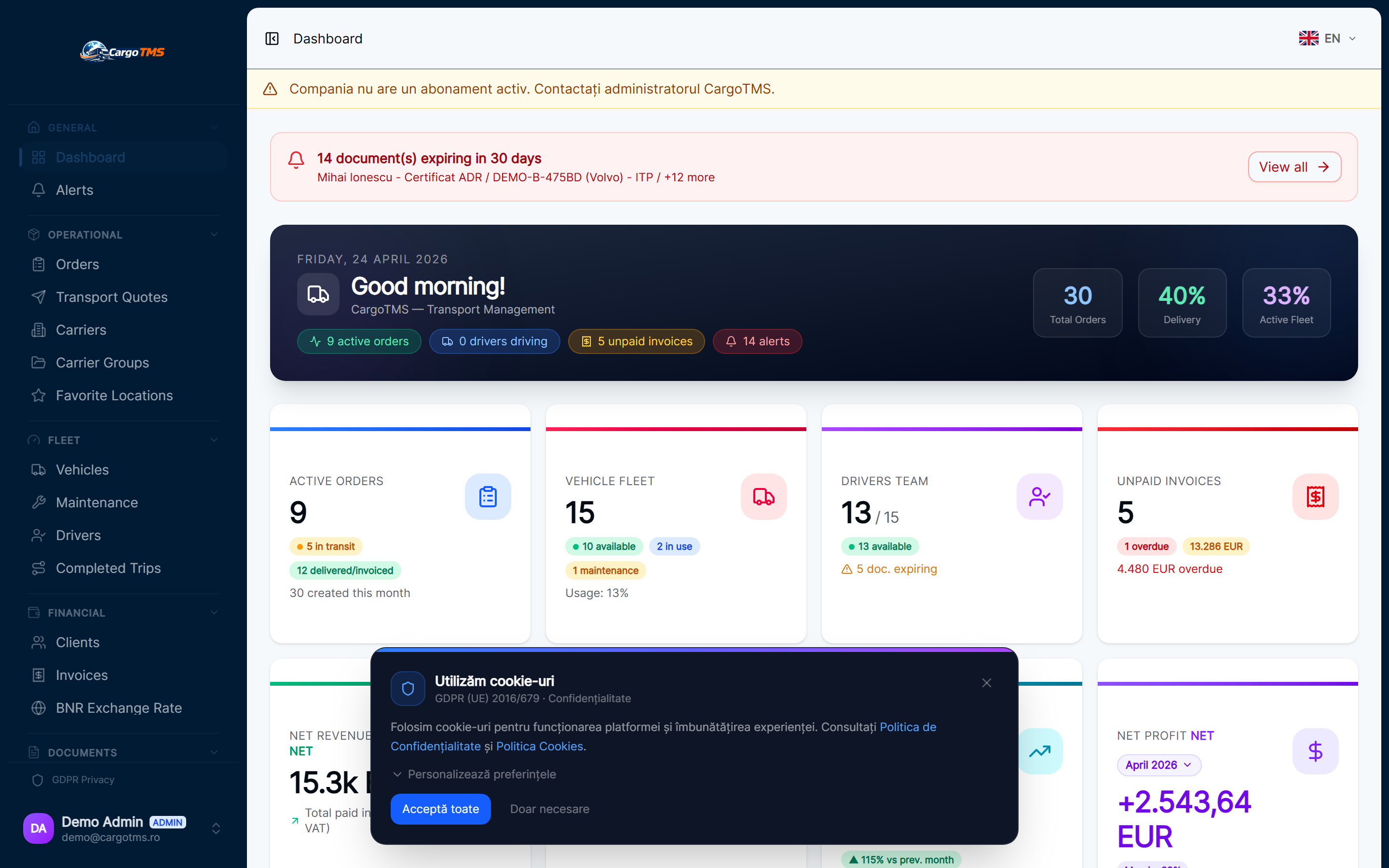
Transport operations involve multiple people working simultaneously: dispatchers creating orders, drivers confirming pick-ups, account teams issuing invoices, managers reviewing reports. In Excel, the moment two people open the same file, you have a version problem. The solution — emailing updated versions, using shared network drives, or even keeping different spreadsheets per person — creates fragmentation. By end of day, nobody knows which file is current. A TMS operates on a single shared data source. Every action by every user is reflected in real time for everyone with access, without file management overhead.
No Document Integration
Transport operations generate a constant flow of documents: CMRs, delivery confirmations, vehicle documents, driver licences, insurance certificates. Excel can reference file paths or hold hyperlinks, but it can't actually store, link, and surface documents as part of the operational workflow. In CargoTMS, documents are attached directly to the entity they belong to — a CMR to its order, a driver document to its driver profile, a vehicle insurance to its vehicle record. They're accessible from the operational view without hunting through shared drives or email threads.
Manual Client and Carrier Communication
Keeping clients and carriers informed about order status requires active communication — and with Excel as the operational base, that means manual emails or calls at each status change. CargoTMS automates this: when an order moves to "loaded" or "delivered", configured notifications go out automatically to the client and carrier. Client and carrier portals give external parties direct access to their own data — order status, documents, and delivery confirmation — without the dispatcher needing to be the communication relay.
No Real-Time Operational Dashboard
A spreadsheet is a record of what happened, not a view of what's happening. Transport operations need both: the ability to see the current state of all active orders, which vehicles are where, which documents are missing, and which deadlines are approaching. Excel requires manual effort to maintain any kind of status overview, and that effort belongs to a dispatcher who should be managing operations rather than updating cell colours. CargoTMS provides a live operational view without any manual updating.
The Real Cost of Excel Workarounds
Every limitation of Excel in a transport context generates a workaround: a WhatsApp group for real-time communication, a Google Sheet for the current day's orders, a Dropbox for documents, a separate accounting tool for invoices. These workarounds work — until they don't. The real cost isn't the tools themselves but the context-switching, the duplication of data entry, and the risk of something falling through the gap between systems. A purpose-built TMS eliminates the workarounds by covering all of these needs in one integrated system.
💡 Key Takeaways
- Start by identifying your biggest pain point: missing documents, communication delays, or financial visibility.
- A TMS doesn't require abandoning everything at once — start with orders and expand from there.
- Involve dispatchers in the transition: they know the edge cases and will find the workarounds if the system doesn't fit.
- Use the transition as an opportunity to standardise workflows, not just replicate what you did in Excel.
- The time-to-value from a TMS is typically measured in weeks, not months — start with your highest-volume workflow.
Excel is a starting point, not a destination. For transport companies managing active operations with drivers, clients, documents, and carriers in motion simultaneously, the limitations of spreadsheet-based management become the ceiling on operational capacity. A purpose-built TMS removes that ceiling — not by adding complexity, but by making the operational workflow structured enough that it runs without constant manual coordination.
Frequently Asked Questions
Can I import my existing Excel data into CargoTMS?
Yes. CargoTMS supports data import for key entities including clients, carriers, vehicles, and drivers. Your existing data doesn't need to be re-entered manually, which significantly reduces the onboarding overhead.
How long does it take to get the team up and running?
Typically one to two weeks for a team already familiar with basic software tools. CargoTMS provides assisted onboarding — including a guided setup session and a live walkthrough with your dispatchers.
Do I need to move everything at once?
No. Most teams start with the core order and dispatch workflow and add modules — fuel tracking, invoicing, reports — as they get comfortable with the system. The platform scales with your adoption pace.
Is CargoTMS suitable for small transport companies?
Yes. CargoTMS is designed to scale from single-vehicle operations to large fleets. Small companies often benefit the most because the time savings on manual admin are proportionally higher when there's a small team.
Want to see this in CargoTMS?
Request a free personalised demo. We'll walk you through the exact workflow described in this article.
🚀 Request Free Demo