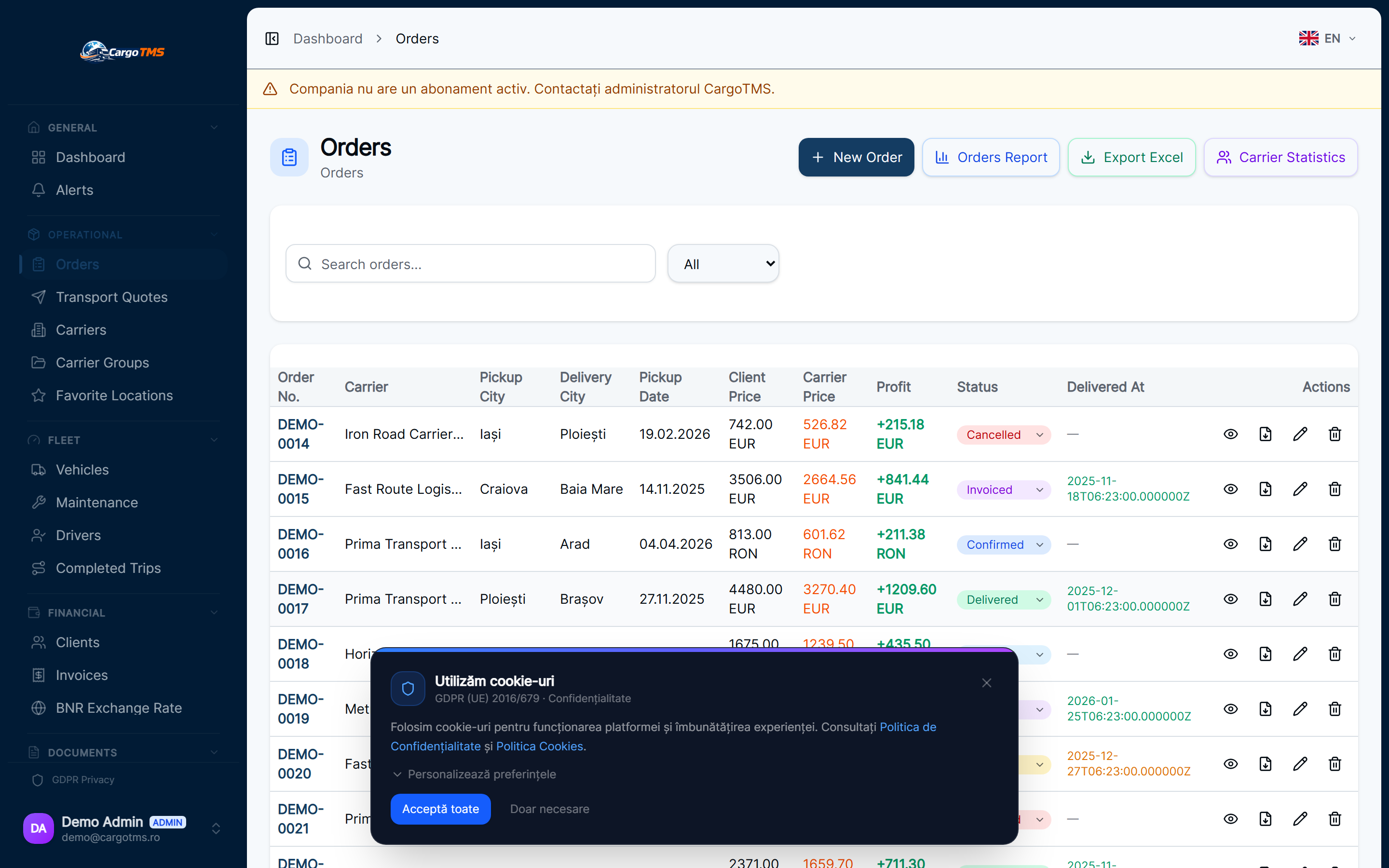
Dispatch management in CargoTMS covers the complete lifecycle from the moment an order is entered to the moment delivery is confirmed and documents are received. The workflow is designed around the dispatcher's actual working process — showing what needs attention and reducing the administrative work required to keep everything moving.
Create Order
The dispatcher creates an order in CargoTMS with loading and delivery details, cargo specification, client and carrier information, and any special requirements. Order creation captures all the information needed for the entire lifecycle of the shipment — from dispatch through to invoicing.
Assign Driver and Vehicle
The dispatcher assigns a driver and vehicle to the order. CargoTMS shows active vehicle and driver availability, and checks for any document expiry issues (licence, vehicle inspection, insurance) that could affect the assignment. The driver receives the order notification on their app immediately after assignment.
Generate Transport Documents
CargoTMS generates the transport documents (CMR, transport order) directly from the order data in the configured language. Documents are available for download immediately and can be sent to the carrier and client portals automatically.
Track Order Status in Real Time
As the driver confirms loading, transit milestones, and delivery through the app, the order status updates in real time in CargoTMS. The dispatcher sees the current state of all active orders in the order list without needing to contact drivers or carriers. Clients with portal access see their order status automatically.
Handle Exceptions and Alerts
When something deviates from the expected flow — a late delivery, a missing document, an expired vehicle document — CargoTMS raises an alert visible in the dispatcher's workflow. Exceptions are visible without monitoring individual orders, allowing dispatchers to focus on resolution rather than surveillance.
Close Order and Prepare Invoice
After delivery confirmation and CMR receipt, the order is complete. The dispatcher can immediately initiate invoicing from the completed order, with all the required data already populated. The executed trip record captures all costs for profitability calculation.
📝 Good to know
- Automated notifications to clients and carriers are configured per order template — they fire at each status change without dispatcher intervention.
- The CargoTMS SLA monitoring module tracks delivery windows and alerts dispatchers to orders approaching or exceeding their SLA thresholds.
- All order events are logged in the order activity history — providing a complete audit trail for any completed or active shipment.
help.faq_title
Can multiple dispatchers work on orders at the same time?
Yes. CargoTMS is a multi-user system — all dispatchers see the same real-time order list and can work on different orders simultaneously. Access permissions are configurable per user role.
How does CargoTMS handle carrier subcontracting?
External carriers can be assigned to orders and given direct portal access. The carrier portal allows them to see their assigned orders, upload documents, and update status — without needing direct contact with the dispatcher.
Can I set up automatic notifications for clients?
Yes. CargoTMS supports configurable automatic notifications that fire when an order reaches specific status milestones (Loaded, In Transit, Delivered). These are sent without dispatcher intervention and can include links to the client portal.
See this workflow in action
Request a free personalised demo and we'll walk you through this exact workflow in your context.
🚀 Request Free Demo